Effects
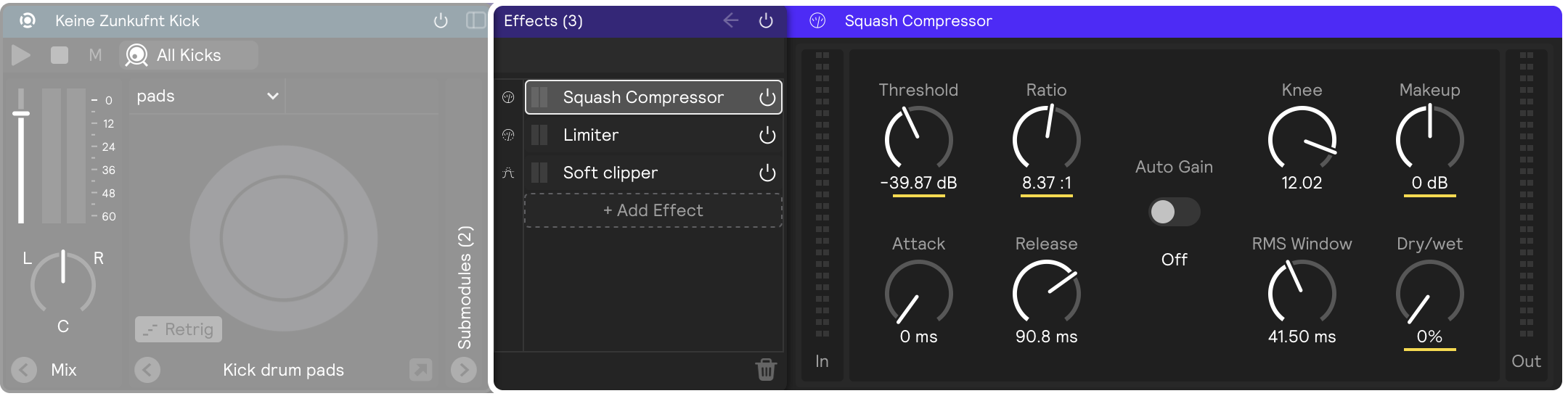
Effects process the audio produced by the modules they're placed on. They don't make sound on their own — they shape sound that's already there — which is why they can be dropped onto almost anything: generators, controllers, and audio buses all have fx panels.
Adding effects
Drag an effect from the library, hover over the module you want to apply the effect to (it will become outlined in blue), and drop it. It's that easy! (Note that effects can't live on their own layer; they must be placed inside of a module on an existing layer.)
You can also add effects from any effect panel by clicking the + Add Effect dropdown button.
Effects can also be added to submixes and the main mix in the Mix View.
Common parameters
Many effects share the same handful of controls:
- Send Level reduces the gain of the audio input to the effect. Unlike adjusting Dry / Wet, modulating send level preserves any audio tails.
- Dry / Wet sets the balance between the unprocessed (dry) signal and the processed (wet) signal.
- Stereo widens the left–right panning range of the effect.
- Feedback governs the level of processed signal that is sent through the system again.
- Rate controls the speed of the modulation.
The effects
Compressor
Reduces dynamic range by attenuating signal above a threshold
Limiter
Prevents a signal from exceeding a set ceiling
Gate
Attenuates a signal while it sits below a threshold
Soft Clipper
Softens peaks above a ceiling into harmonic distortion
Tube Amp
Amp simulation modeled on the 12AX7 tube
Bit Crush
Lo-fi degradation via sample rate and bit depth reduction
Filter
A collection of resonant low pass, high pass, and band pass filters
3 Band EQ
A three band equalizer with low, mid, and high filters
EQ Band
A single EQ band with an expanded set of filter shapes
Multiband EQ
Cascading EQ bands with a realtime frequency spectrum display
Chorus
Thickens a signal with modulated all-pass filtering
Flanger
A sweeping comb-filter effect made with a very short modulated delay
Phaser
Sweeping notches created by modulated all-pass filters
Reverb
An algorithmic reverb for creating spatial environments
Convolution Reverb
Recreates a real acoustic space using an impulse response
Stereo Delay
A delay with separate left and right times, set in milliseconds or synced to tempo
Modeled Delays
Five delay effects modeled on classic hardware units
Gain Utility
Gain, pan, and stereo image processing
Fx Chain
A container for grouping multiple effects together